Introduction
I've always been fascinated by wearable AI devices — small, always-listening companions that can do useful things with audio. When I saw the Omi project, I knew I had to build my own version. But I didn't just want a clone — I wanted something that could listen to melodies and generate MIDI files from what it heard.
This post walks through the entire process: sourcing the hardware, flashing custom firmware, and writing the software that turns hummed melodies into playable MIDI.
Step 1: Hardware Sourcing
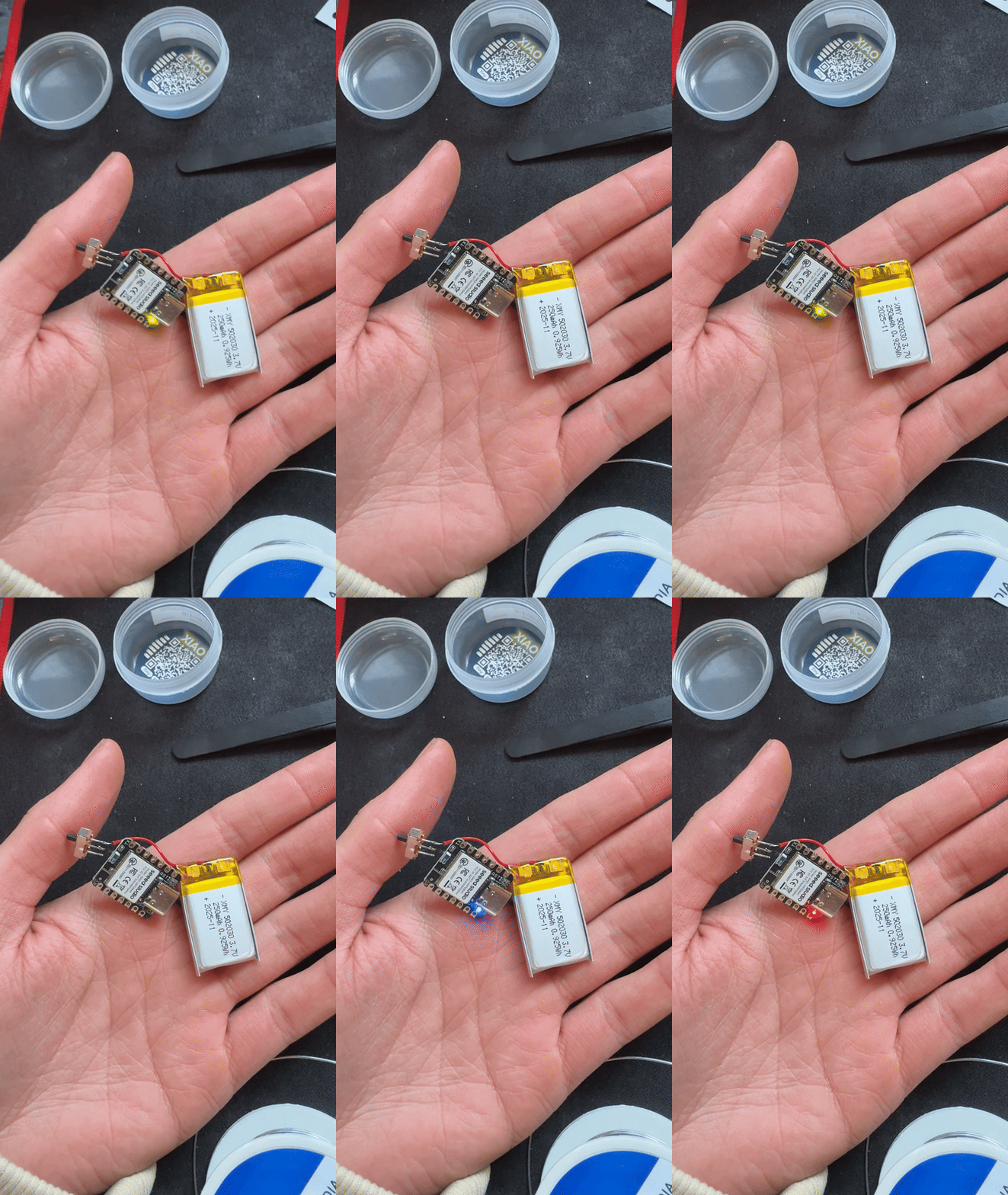
The core of the build is an ESP32-S3 microcontroller with a built-in microphone. Here's the parts list:
- ESP32-S3 DevKit — the brain of the operation, with Bluetooth and WiFi
- I2S MEMS Microphone (INMP441) — high-quality digital mic for audio capture
- LiPo Battery (3.7V 500mAh) — for portable use
- 3D-printed enclosure — custom case to keep it compact and wearable
- USB-C breakout board — for charging and flashing
Total cost came in under $25, which is a fraction of what commercial devices charge.
Step 2: Flashing the Firmware
The stock Omi firmware is open source, but I needed to modify it heavily for MIDI generation. Here's how I set up the development environment:
# Install ESP-IDF (Espressif IoT Development Framework)
git clone --recursive https://github.com/espressif/esp-idf.git
cd esp-idf
./install.sh esp32s3
source export.sh

# Clone and modify the Omi firmware
git clone https://github.com/BasedHardware/omi.git
cd omi/firmware
The key modifications I made to the firmware:
- Added a voice command listener that activates melody detection mode when it hears "listen for melody"
- Implemented a pitch detection algorithm using autocorrelation on the raw audio samples
- Built a MIDI encoder that converts detected pitches and durations into standard MIDI format
- Added BLE MIDI output so the device can send MIDI data directly to a DAW
Step 3: Pitch Detection
The pitch detection was the trickiest part. I implemented an autocorrelation-based algorithm that runs in real-time on the ESP32:
// Simplified pitch detection using autocorrelation
float detect_pitch(int16_t* buffer, int length, int sample_rate) {
    float best_correlation = 0;
    int best_lag = 0;

    // Search for fundamental frequency between 80Hz and 1000Hz
    int min_lag = sample_rate / 1000;
    int max_lag = sample_rate / 80;

    for (int lag = min_lag; lag < max_lag; lag++) {
        float correlation = 0;
        for (int i = 0; i < length - lag; i++) {
            correlation += buffer[i] * buffer[i + lag];
        }
        if (correlation > best_correlation) {
            best_correlation = correlation;
            best_lag = lag;
        }
    }

    return (float)sample_rate / best_lag;
}
Step 4: MIDI Encoding
Once I had reliable pitch detection, the next step was mapping frequencies to MIDI note numbers and encoding them:
# Python helper for MIDI file generation (runs on companion app)
import midiutil

def freq_to_midi(freq):
    """Convert frequency in Hz to MIDI note number."""
    if freq <= 0:
        return 0
    return int(round(69 + 12 * math.log2(freq / 440.0)))

def create_midi_from_notes(notes, output_path):
    """
    notes: list of (midi_note, start_time, duration) tuples
    """
    midi = midiutil.MIDIFile(1)
    midi.addTempo(0, 0, 120)

    for note, start, duration in notes:
        midi.addNote(0, 0, note, start, duration, 100)

    with open(output_path, "wb") as f:
        midi.writeFile(f)
Step 5: Putting It All Together
The final workflow looks like this:
- Activate — Say "listen for melody" to the device
- Perform — Hum, whistle, or sing the melody you want to capture
- Process — The device detects pitches in real-time and buffers the note data
- Say "stop" — The device finalizes the MIDI data
- Transfer — MIDI file is sent via BLE to your phone or laptop
- Import — Drop the .mid file into Ableton, FL Studio, or any DAW
Step 6: Flashing the Custom Firmware
To flash the modified firmware onto the ESP32-S3:
# Build the firmware
idf.py set-target esp32s3
idf.py build

# Flash to device (hold BOOT button while connecting USB)
idf.py -p COM3 flash

# Monitor serial output for debugging
idf.py -p COM3 monitor
Results
After weeks of tweaking the pitch detection sensitivity and note quantization, the device works surprisingly well. It can reliably detect melodies hummed at a moderate pace, quantize them to the nearest semitone, and produce clean MIDI files.
Is it perfect? No — fast runs and quiet notes still trip it up sometimes. But for quickly capturing musical ideas on the go, it's become an indispensable part of my creative toolkit.
The entire project is a testament to what you can build with open-source hardware and a bit of persistence. If you're interested in building your own, all my firmware modifications are available on my GitHub.
Build weird things. Make cool sounds.